
✨ Yep Agent
Yep Agent is a coding agent built on top of YepCode that turns a prompt into real, runnable YepCode processes (JavaScript or Python). It works directly on your workspace codebase (processes, modules, schemas, README files), and helps you iterate until the automation is ready to run in production.
Where to use it
Section titled “Where to use it”- In YepCode Cloud: open any process in your team and launch Yep Agent to start prompting against your workspace.
- From the public entry point: use the AI landing at
/ai(you can create an account atcloud.yepcode.io).
Showcase video
Section titled “Showcase video”What you can do with Yep Agent
Section titled “What you can do with Yep Agent”- Generate a complete process: source code + input parameters schema + README.
- Create reusable modules: extract integrations (SDK clients, helpers) into modules.
- Add dependencies automatically: use any npm/PyPI packages via dependencies.
- Run and validate: trigger test executions to inspect datasources, inspect logs, and then iterate.
- Configure executions on your workspace: like scheduled executions (cron jobs) once the process is correct.
How it works (high-level)
Section titled “How it works (high-level)”Yep Agent is designed to behave like a real developer working in your repo:
- It analyzes your workspace (existing processes, modules, conventions).
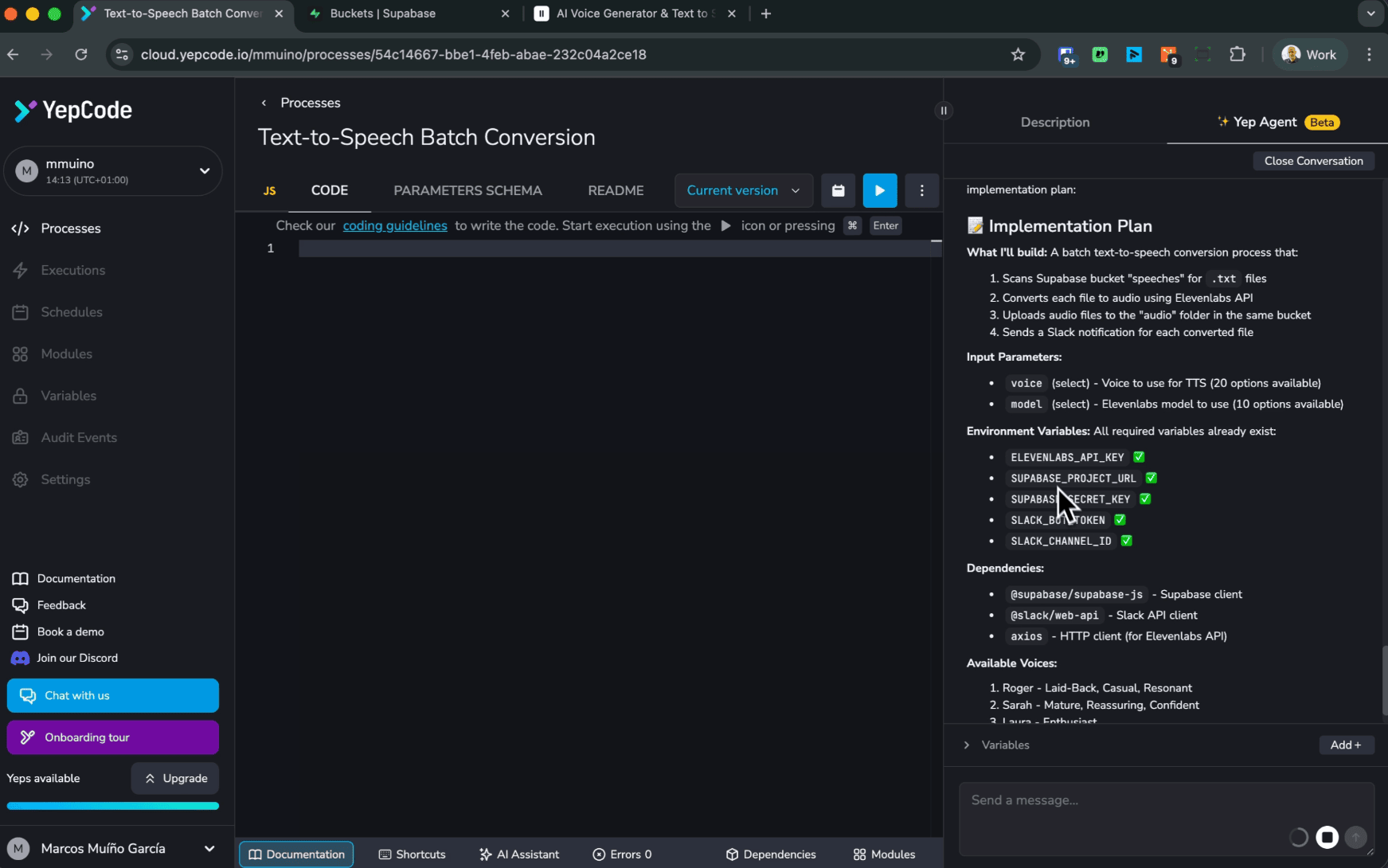
- It proposes an implementation plan and waits for confirmation before applying changes.
- It generates code incrementally (often creating modules for external APIs and helpers).
- It validates by executing inside YepCode, then fixes issues based on results.
Security model (why credentials stay safe)
Section titled “Security model (why credentials stay safe)”Yep Agent runs in a secure sandbox, aligned with YepCode’s execution model. When it needs to interact with real services (databases, third-party APIs), it does so by launching executions in your YepCode team context—where your configured credentials exist—without exposing secret values to the LLM.
For guidance on managing secrets/configuration in your workspace, see Team variables.
Recommended workflow
Section titled “Recommended workflow”1) Start from a clear prompt
Section titled “1) Start from a clear prompt”Aim for one automation goal, plus constraints and outputs. Example (based on the showcase):
Scan my Supabase buckets, find TXT files, convert them to audio using ElevenLabs, and store them in an
audio/folder. Let me pick the voice/model from my ElevenLabs account, and send a Slack notification with the converted files.
2) Let the agent discover what it needs
Section titled “2) Let the agent discover what it needs”If your process needs credentials (e.g. Supabase, ElevenLabs, Slack), Yep Agent will detect that and either:
- use credentials you already configured in your workspace, or
- ask you to create them before it can run validations.
3) Confirm the plan, then iterate quickly
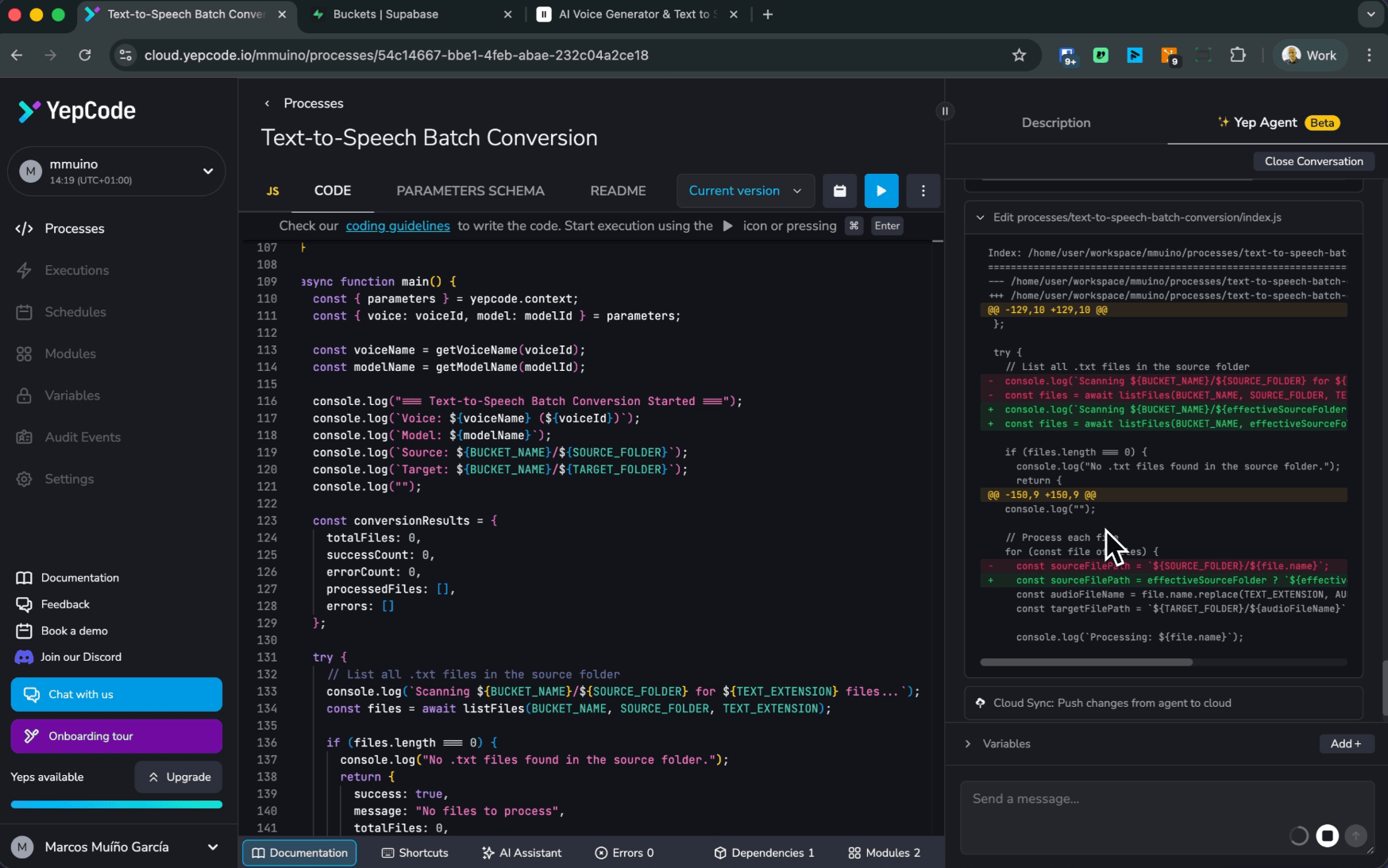
Section titled “3) Confirm the plan, then iterate quickly”After the plan is approved, the agent will typically:
- generate modules for integrations (e.g.
supabase,elevenlabs) - add required dependencies
- build a parameters schema so you can choose options in a form (for example voice/model)
- run a test execution to verify behavior end-to-end
4) Debug with feedback (like a teammate)
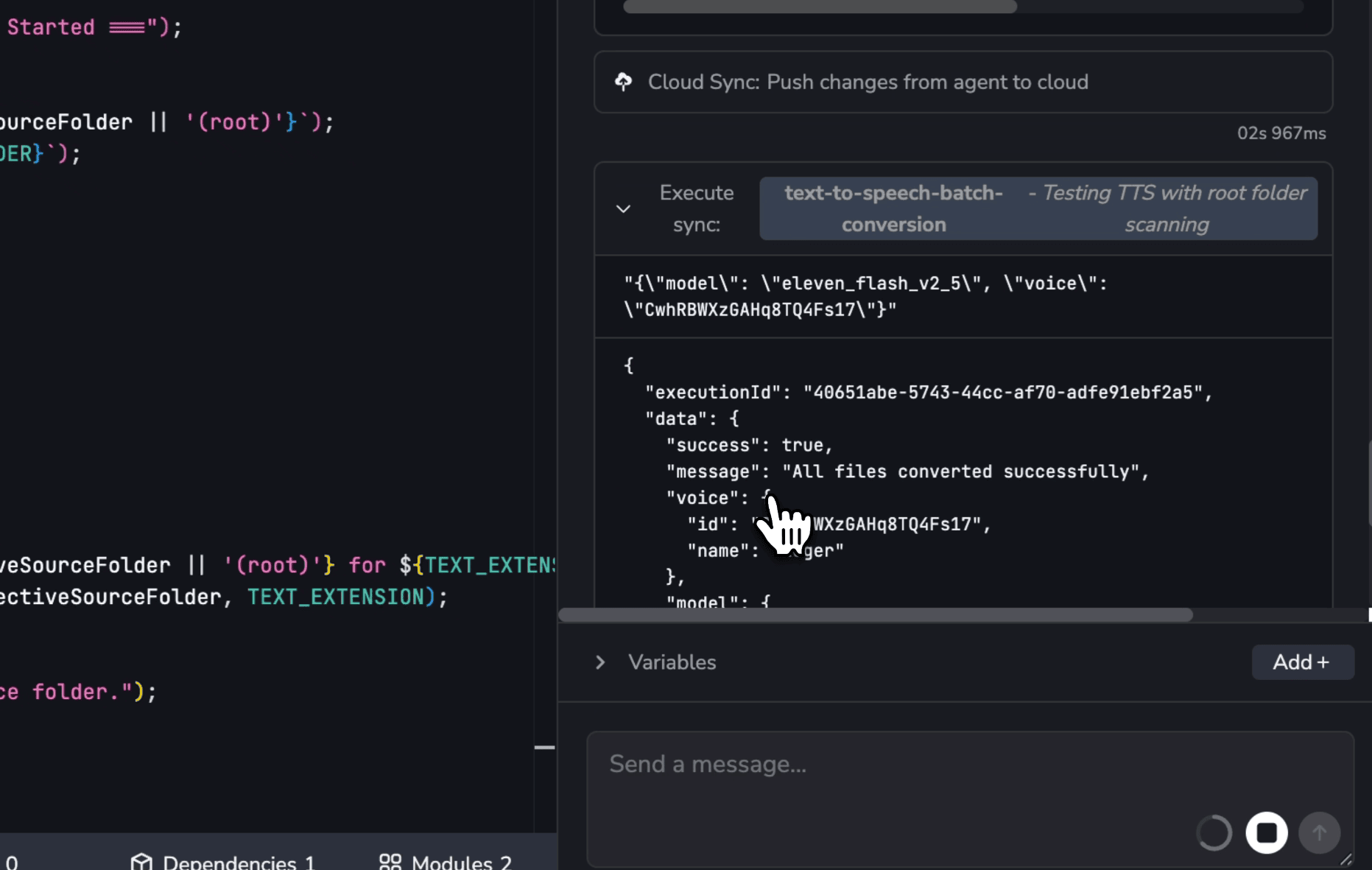
Section titled “4) Debug with feedback (like a teammate)”When something isn’t right, tell the agent what you observed (for example: “you didn’t find files that exist in the root folder”). It will inspect the implementation, adjust assumptions (e.g., bucket root vs a subfolder), push updated code, and re-run validations.
5) Ask it to operationalize
Section titled “5) Ask it to operationalize”Once correct, ask for production wiring:
- Scheduling: “Schedule this process every Monday at 9:00 AM.” See scheduled executions (cron jobs).
- User-friendly inputs: “Expose a dropdown with titles for the voices and models.”
Tips for great results
Section titled “Tips for great results”- Be explicit about IO: where data comes from, where it goes, and what “done” looks like.
- Name the constraints: folders, formats, naming conventions, rate limits, timeouts.
- Request ergonomics: ask for good parameter schemas, defaults, and helpful descriptions.
- Prefer modules for integrations: it keeps process code small and reusable.
Learn more (deeper technical background)
Section titled “Learn more (deeper technical background)”If you want the behind-the-scenes architecture and security design, read the build story: “Yep Agent: The Making Of”.